Your plugin manager for
every VST, AU and AAX plugin

Free to start on Mac and Windows. Scan your computer, organize your plugins and keep track of updates.
Paid plans add a vault for your credentials and a comparison of your computers.

Free to start on Mac and Windows. Scan your computer, organize your plugins and keep track of updates. Paid plans add a vault for your credentials and a comparison of your computers.

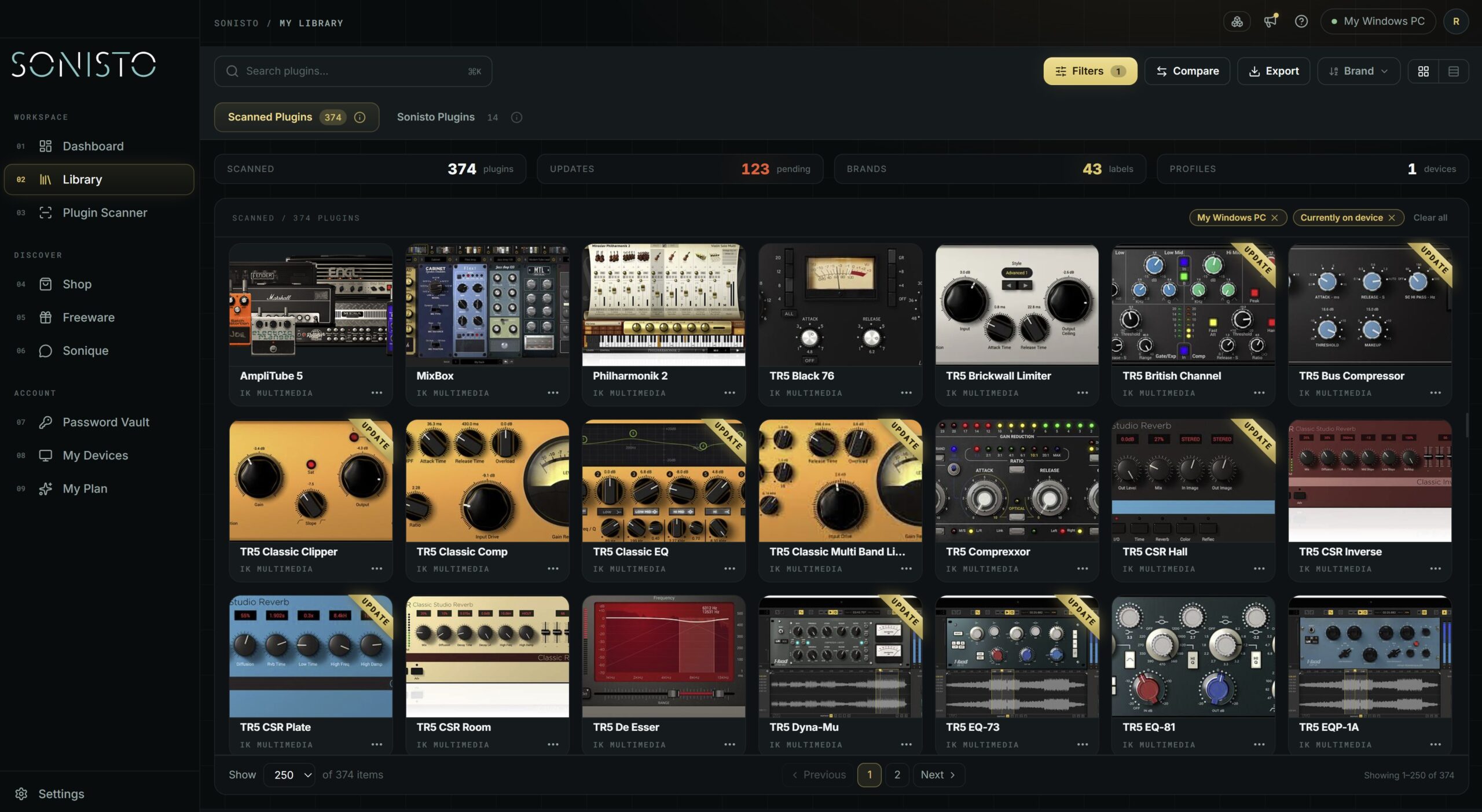
Sonisto plugin library: 374 scanned plugins from 43 brands, 123 of them with an update available
Plugin Scanner

Scan once. See everything.

Sonisto scans your computer and automatically identifies your installed plugins, turning them into one organized, searchable library.

See what you have installed, where it is installed, and the key information for each plugin – without digging through folders, installers and manufacturer apps.

Plugin Details

Everything you need for each plugin

Open any plugin in your Library and see the information that matters in one place.
Depending on the product, Sonisto can show:
Installed version · Latest available version · Plugin file location · Manufacturer and product information · Login credentials · Serial key · Link to the latest installer or manufacturer download manager
Update Notifications

Know when your plugins need updating

Stop checking manufacturer websites and download managers one by one. Sonisto keeps track of available versions and shows you when updates are available for plugins in your Library.
“A one stop shop where I can see which one of my thousands of plugins needs updating.”
Portrait of music producer Yarden “JORDi” Peleg in a studio setting, used with his testimonial praising Sonisto’s plugin management features.
Yarden "JORDi" Peleg
Award winning producer, writer and mixing engineer
Latest Installers

Get to the latest installer faster

When an update is available, Sonisto can take you directly to the latest installer – or to the manufacturer’s download manager when that’s how the product is distributed.
No searching through product pages or old emails.
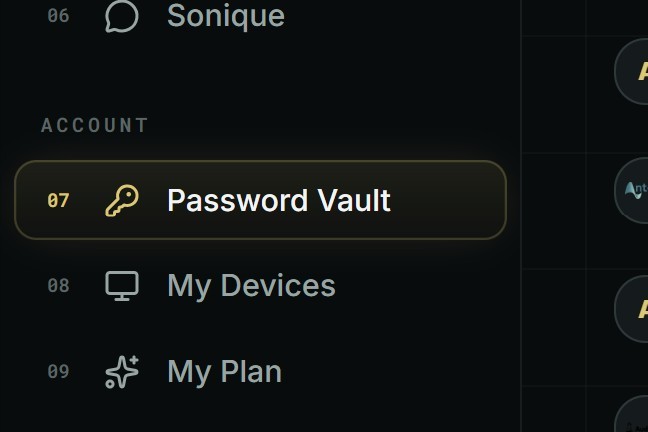
Sonisto desktop app menu with Password Vault selected
Password Vault

Keep your plugin credentials where they belong

Store login details, passwords and serial keys alongside the brands and products they belong to.

Your credentials are encrypted and stored securely, so when you need to reinstall or authorize something, the information is already there.

Multiple Devices

Manage plugins across multiple computers

Create computer profiles and keep track of which plugins are installed – and more importantly, which plugins are not installed – on each device.
Compare your current setups, check what is missing on a second computer, or use an older profile as a reference when moving to a new machine.

Compare setups:

What is installed on both computers · What is missing from one device · Differences between setups · Version differences · What you still need to install on a new computer · Plugins you've previously scanned but haven't installed on the current system
Sonique AI

Meet Sonique, your built-in production assistant

Ask Sonique about plugins, DAWs, mixing, production techniques – or how something in Sonisto works.

Use it to understand your tools, solve production problems or get help navigating Sonisto.

For example: 

“How do I use the Plugin Scanner?”
“How do I make my mixes sound big and wide?”
“How do I use the dynamic features in FabFilter Pro-Q?”
AI message limits depend on your plan.
Freeware

Discover useful plugins for free

Browse a curated collection of free instruments, effects and production tools directly inside Sonisto.
Add the plugins you want and install them without spending hours searching the web.
Auto Installer

One click. Installed.

Supported plugins from Sonisto Freeware and selected commercial brands can be downloaded, installed, updated and authorized automatically.
Download → Install → Update → Authorize
With a single click.
Available for most Freeware plugins, with more commercial integrations being added over time.

Password Vault

See when updates are available for plugins in your Library.

Update Notifications

Keep plugin logins, passwords and serial keys in one secure place.

Latest Installers

Jump straight to the latest installer or download manager.

Compare Devices

See what’s installed, missing or different across your computers.

Plans

Start free. Unlock more when you need it.

Sonisto Free gives you the essentials to start building your plugin library.
Upgrade to Basic or Pro for more scans, more devices and advanced management features like:
Questions

Plugin manager questions, answered

What is a plugin manager, and what does Sonisto do?

A plugin manager is an app that keeps track of the audio plugins installed on your computer. Sonisto is a plugin manager for Mac and Windows with a free plan. It scans your computer and turns every installed VST, AU and AAX plugin into one searchable library, sorted by brand. Depending on the product, it shows the installed version, the latest available version and where the plugin file is installed. It tells you when a plugin needs updating and takes you to the latest installer, so you stop checking manufacturer websites and download managers one by one. The free plan covers one computer, one scan a month and update alerts for 10 plugins. The paid Basic and Pro plans add unlimited update alerts, an encrypted vault for serial keys and logins, and a comparison of the plugins on your computers. A first scan usually takes 1 to 10 minutes.

Does a scan change my installed plugins?

No. A scan only reads what is installed and builds the overview. Sonisto does not change, move or delete any of your installation files.

Which computers does Sonisto run on?

Sonisto is a desktop app for macOS and Windows. Linux and 32-bit plugins are not supported.

Is Sonisto free?

Yes, to start. Sonisto Free covers one computer, one scan a month, update alerts for 10 plugins and the freeware collection. Basic ($2.99 a month or $29.99 a year) adds two computers, 20 scans a month, unlimited update alerts, the password vault and device comparison. Pro ($9.99 a month or $99.99 a year) covers up to 10 computers with unlimited scans. Compare the plans.

How long does a scan take?

Usually between 1 and 10 minutes, depending on the size of your plugin library and the speed of your computer.

How is Sonisto different from Native Access or a brand’s own installer?

A manufacturer’s own app, such as Native Access, manages that manufacturer’s products. Sonisto lists every plugin on your computer, from every brand, in one library, and links each one to its maker’s latest installer. See how the main plugin managers compare.


Turn your plugins into a library
you can actually manage

Scan your computer, see what you own and keep your setup under control with Sonisto.

Sonisto Desktop App

Download the Sonisto Desktop App now and get ready to scan and organize.

Sonisto runs on Mac and Windows. Send yourself the link and download it on your computer.

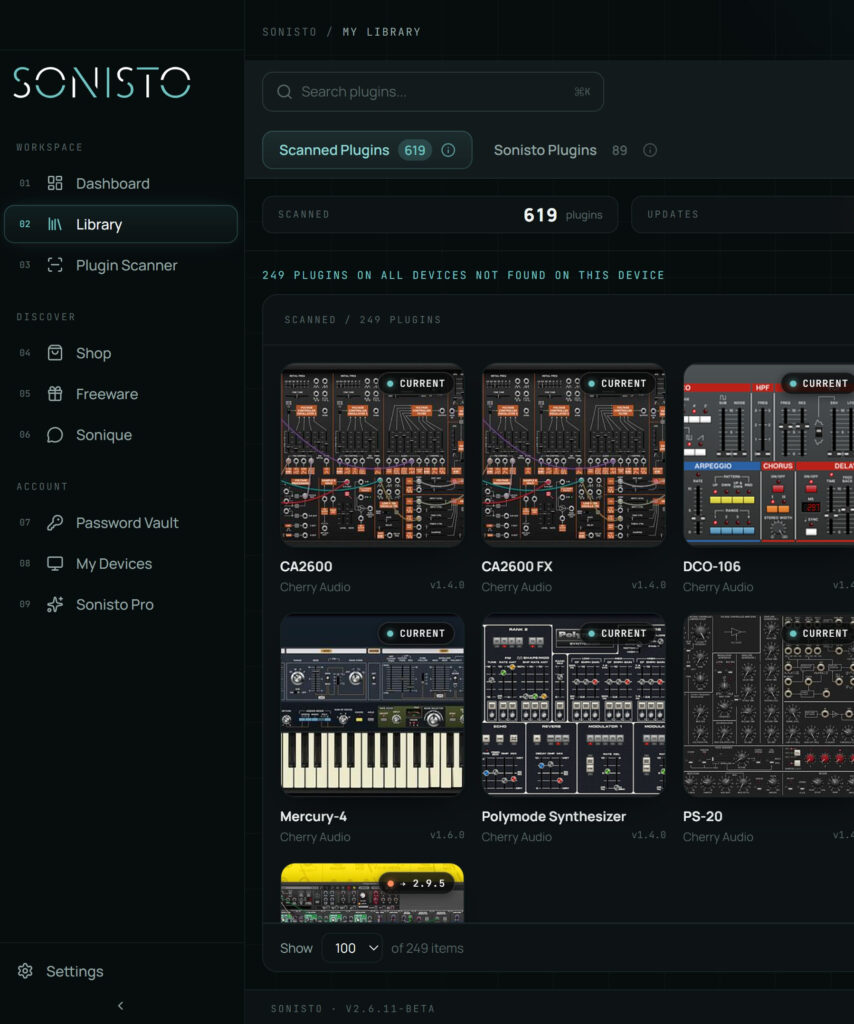
Sonisto desktop app library listing scanned plugins, with 249 plugins found on other devices but not on this one