Guide · November 2026
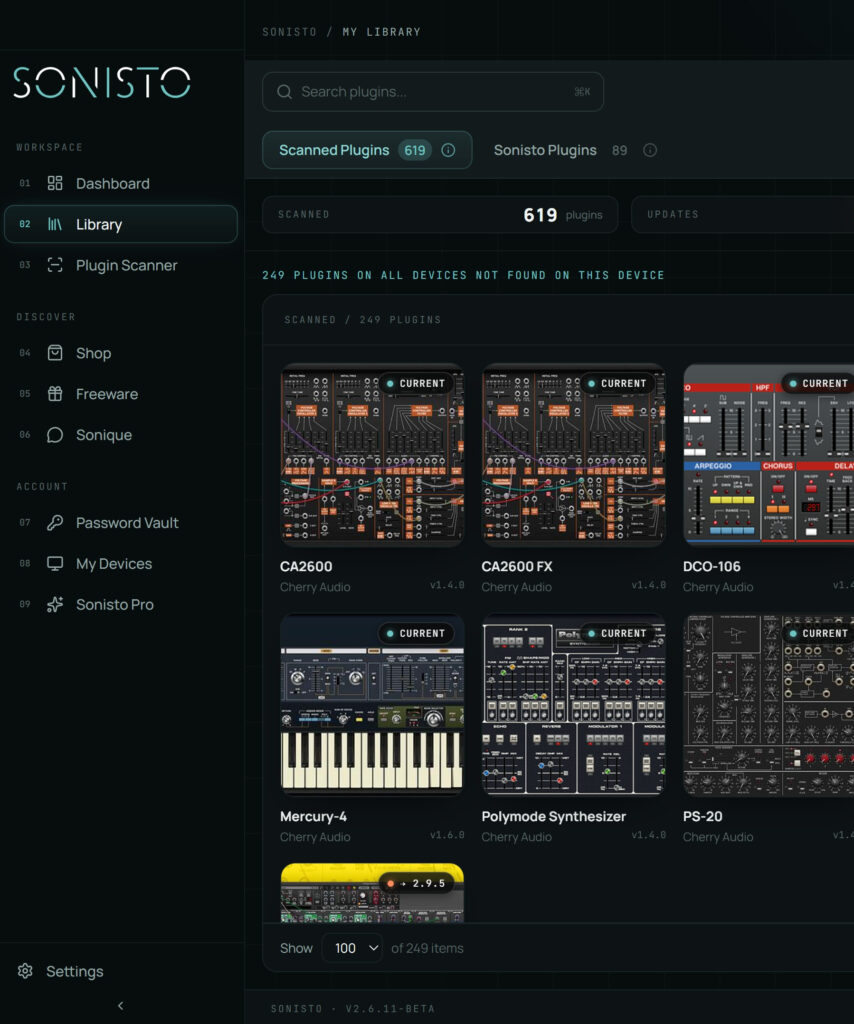
Before you buy in a plugin sale, list what you already own. Installed plugins are one list and licenses in your vendor accounts are another, and a bundle can repeat either. Black Friday is 27 November 2026 and Cyber Monday 30 November, and many sales run for days around them, so there is time to make the list first. Your DAW’s plugin list is a start. A plugin manager such as Sonisto scans a Mac or Windows computer and lists every VST, AU and AAX plugin it finds in one place, on its free plan too.
Updated 6 November 2026 by Sonisto, which makes the plugin manager this guide mentions.
Open your DAW’s plugin list, or look in the plugin folders on your computer, or run a scan with a plugin manager. Look for the plugin’s maker and name, since a deal page may list it under a bundle name.
You may own plugins you have not installed. Look in the accounts you have with the big brands: Native Access, Waves Central, Plugin Alliance, Arturia, iZotope, iLok. Licenses in those accounts do not show in a scan of your computer.
A bundle’s price looks better than it is if you own half of it. Go through its list against yours, and work out what you pay for what you do not have.
Upgrade and crossgrade prices often appear only when you are signed in with the maker, and can be lower than the sale price a stranger sees.
See that the plugin supports your system and your DAW’s format, and how many computers one license covers.
Sonisto does not run a deal tracker. These do: Bedroom Producers Blog, Plugin Boutique and MusicRadar. Plugins on sale in Sonisto’s own shop are on the deals page.
Black Friday is 27 November 2026 and Cyber Monday is 30 November. Plugin sales often start earlier and some run into December, so read each sale’s end date.
No. A scan lists what is installed on that computer. Licenses you own and have not installed stay in each maker’s account.
Yes. Your DAW lists what it has found, and the plugin folders hold the files. It takes longer with a large library, and neither tells you about other computers.
Next: check for updates, or see all guides. See what Sonisto does.
Scan your computer, see what you own and keep your setup under control with Sonisto.
Download the Sonisto Desktop App now and get ready to scan and organize.
Sonisto runs on Mac and Windows. Send yourself the link and download it on your computer.