Guide · November 2026
A plugin built for Apple silicon, or Universal, runs natively on a new Mac. A plugin built only for Intel runs only through Rosetta, and Apple says macOS 27 is the last release where Rosetta runs Intel-only apps. So list every plugin on your old Mac, check which ones are Intel-only, and update or replace those before you move.
Updated 10 November 2026 by Sonisto, which makes the plugin manager this guide mentions. Apple’s dates below are from Apple’s own pages, read on 10 November 2026.
| When | What Apple says | Apple’s page |
|---|---|---|
| macOS 26.4 and later | You may see a notice when you open an app that relies on Rosetta, asking you to update it to an Apple silicon version | Apple Developer news, 1 September 2026 |
| macOS 27 | The final release to support Rosetta. Rosetta is available on Apple silicon Macs running macOS 27 or earlier | Apple Support, 21 September 2026 |
| macOS 28 | Rosetta works only for certain older, unmaintained games that rely on Intel-based frameworks; other Intel-only apps no longer run | Apple Support, 21 September 2026 |
Apple’s dates are about apps, and a plugin runs inside its DAW: an Intel-only plugin on an Apple silicon Mac runs only through Rosetta, so it is in the same position. Apple’s own page says Get Info’s Open using Rosetta setting is useful for apps that depend on Intel-only plug-ins. Apple says Logic Pro recognises Intel-built Audio Units only when Rosetta is installed (Apple Support, 21 August 2023). A Mac on macOS 27 still runs them; Apple says macOS 28 will not.
You cannot check what you have not listed. Write down every plugin with its maker and version, or follow how to list every plugin on your computer, and export the list. A list in a file beats a list from memory when you are standing in front of the new Mac.
Finder’s Get Info does not show which processors a plugin bundle is built for. Terminal does. Open Terminal and paste these two lines to check every Audio Units plugin; for VST3 or VST2, change the folder to VST3 or VST and .component to .vst3 or .vst:
cd /Library/Audio/Plug-Ins/Components
for p in *.component; do echo "$p: $(lipo -archs "$p"/Contents/MacOS/* 2>/dev/null)"; done
Each line ends with the architectures inside that plugin. x86_64 arm64 is Universal and runs natively on Apple silicon. x86_64 alone, or with i386, is Intel-only: it runs only through Rosetta. A line with nothing after the name could not be read and needs the maker’s page. To see only the plugins without native code, add | grep -v arm64 to the end of the second line.
For AAX plugins in Pro Tools, the free PT Prefs 2 app lists each one’s architecture, Intel or Universal (Production Expert, 14 November 2022). It checks AAX only.
Many makers have released Apple silicon versions, some as a free update and some only in a newer paid version. Check each maker’s own page and install from its latest installer. Waves, for example, says V14 and later run natively in VST3, AU and AAX, while V12 and earlier have no native support (Waves support, 3 August 2026). A plugin its maker has stopped selling may have no update; plan a replacement before macOS 28.
Release the licenses on the old Mac, install brand by brand on the new one, and compare the two lists. The steps and each kind of license are in how to move your plugins to a new computer.
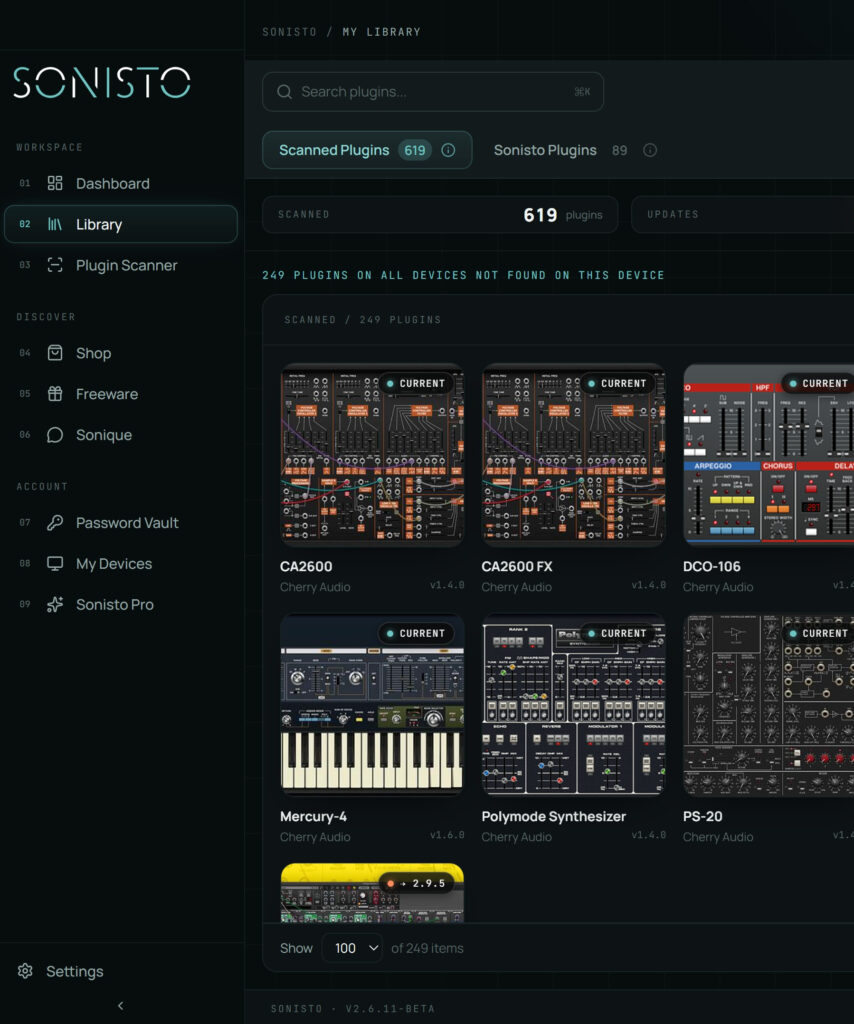
Sonisto’s scan lists every VST2, VST3, AU and AAX plugin on the old Mac with its maker, version and formats, and shows which ones have an update (10 on Free, all on Basic and Pro). On Basic and Pro you can export that list as a CSV file and, once the new Mac is scanned, compare the two computers to see what is still missing. Sonisto does not read which processors a plugin is built for, so the Terminal check above, or the maker’s page, answers that part. VST plugin manager: see what Sonisto does.
Yes, through Rosetta, on macOS 27 or earlier. Apple says Logic Pro recognises Intel-built Audio Units only when Rosetta is installed. From macOS 28, Apple keeps Rosetta only for certain older games, so an Intel-only plugin needs an Apple silicon update from its maker to keep working.
Apple says macOS 27 is the final release to support Rosetta. Starting with macOS 28, the next major release, Rosetta will work only for certain older, unmaintained games that rely on Intel-based frameworks. Intel-only apps and plugins outside that exception will no longer run on Apple silicon Macs.
Check the plugin’s binary in Terminal with lipo -archs. If the answer includes arm64, the plugin runs natively on Apple silicon; x86_64 alone means Intel-only. For Pro Tools AAX plugins, the free PT Prefs 2 app lists each one’s architecture. The maker’s download page says it too.
It depends on the DAW. Apple says Logic Pro runs natively and still loads Intel-built Audio Units when Rosetta is installed. In other DAWs you may have to open the whole DAW using Rosetta to load an Intel-only plugin, as Waves describes for V13 plugins in Pro Tools. Check your DAW maker’s page.
No. Sonisto lists every plugin with its maker, version and formats, but it does not read which processors a plugin is built for. Use its list as the checklist and the Terminal check, or the maker’s page, for the architecture of each plugin.
Before you start: where to keep your serial numbers and licenses, and where every plugin format installs. More guides: all guides.
Scan your computer, see what you own and keep your setup under control with Sonisto.
Download the Sonisto Desktop App now and get ready to scan and organize.
Sonisto runs on Mac and Windows. Send yourself the link and download it on your computer.